How to Submit a Complaint on Pakistan Citizen's Portal
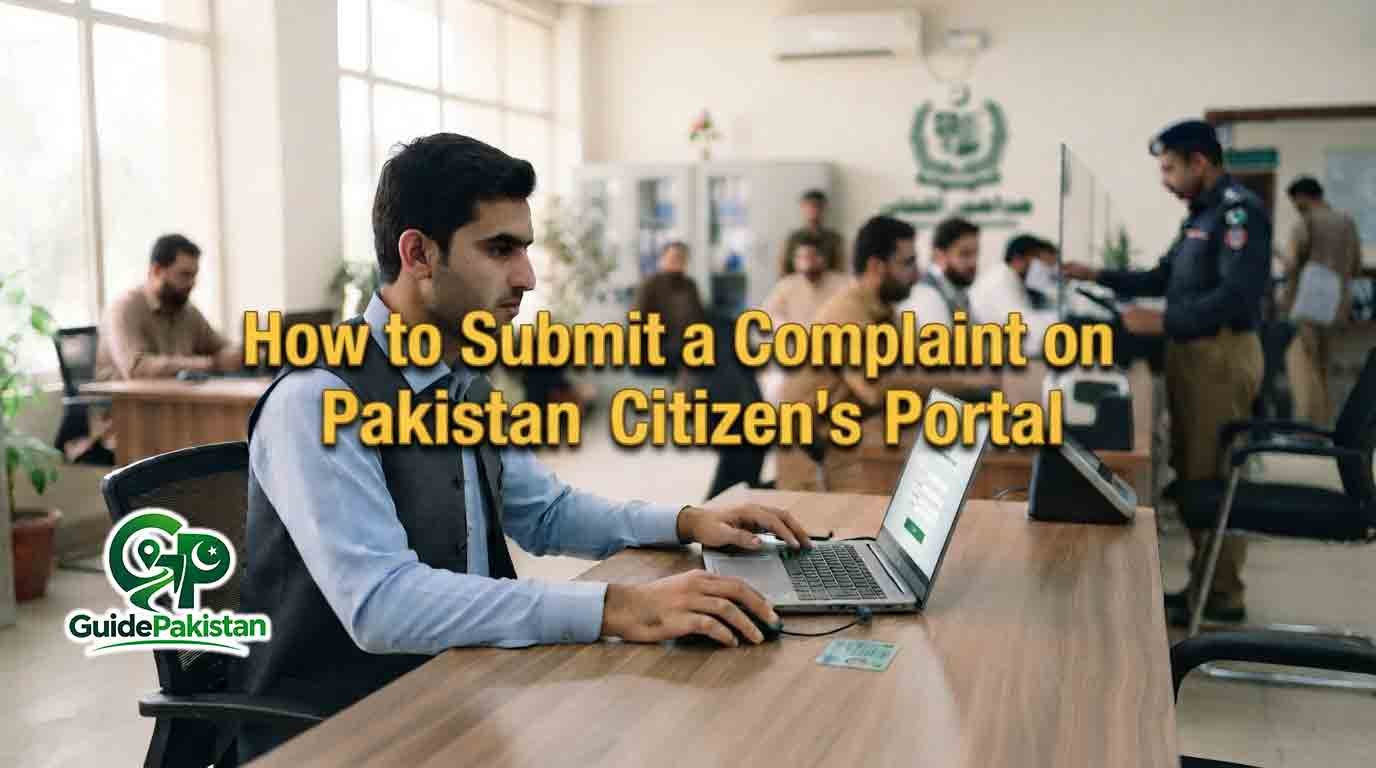
How to Submit a Complaint on Pakistan Citizen's Portal
Pakistan Citizen's Portal (PCP) is a government-owned platform that provides citizens with a digital channel for communicating with government organizations. It is operated under the Prime Minister's Performance Delivery Unit (PMDU) and is designed to provide a nationwide mechanism for raising issues, submitting complaints and grievances, making suggestions and seeking assistance from relevant government organizations.
If you have a problem involving a government department or public service, you can use Pakistan Citizen's Portal to submit a complaint instead of visiting different government offices immediately. The portal forwards complaints through the government system to the relevant organization for handling and response.
This guide explains how to submit a complaint on Pakistan Citizen's Portal, what information you should prepare, how to write an effective complaint, how to submit supporting evidence, how to follow up and what to do if you face problems while using the portal.
What Is Pakistan Citizen's Portal?
Pakistan Citizen's Portal is a government-owned digital platform for communication between citizens and government organizations. According to the official PMDU website, the system provides a nationwide window through which people can raise issues, submit complaints for redressal and provide suggestions.
The platform is available through a mobile application and a web-based portal. The official PMDU website states that the application is available for Android and iOS users and also provides an AppGallery option for Huawei users.
The portal is intended for matters that can be addressed by government organizations. A complaint should therefore be related to a genuine public-service issue, government department matter, administrative problem, violation or other issue that falls within the scope of the relevant authority.
Who Can Submit a Complaint?
Registered users of Pakistan Citizen's Portal can use the platform to raise complaints and grievances with government organizations.
The official PMDU website specifically states that registered citizens or members may submit suggestions, personal complaints and grievances, report violations of laws and seek guidance.
The portal also provides registration categories for:
-
Inland Citizens
-
Overseas Pakistanis
-
Foreigners
The current official registration page shows these three categories.
The exact information required during registration depends on the selected category.
What Type of Complaint Can You Submit?
A complaint should describe a real issue that requires attention from a government organization.
Examples may include:
-
Problems with a government service
-
Delay in a government matter
-
Public-service complaints
-
Administrative issues
-
Problems involving a government office
-
Issues requiring action from a government department
-
Complaints concerning public facilities
-
Certain violations that fall within the responsibility of government authorities
-
Requests for guidance about a government-related matter
The appropriate department depends on the nature of the complaint.
Before submitting a complaint, identify the government organization that appears to have responsibility for the matter. Providing accurate information can make it easier for the complaint to reach the relevant authority.
Do You Need an Account to Submit a Complaint?
Pakistan Citizen's Portal is designed around registered citizens or members. The official PMDU website explains that registered citizens or members can submit complaints, grievances and suggestions.
If you do not have an account, you can use the official registration system to create one.
The current web registration page provides options for Inland Citizen, Overseas Pakistani and Foreigner registration.
How to Submit a Complaint on Pakistan Citizen's Portal
The exact appearance of the portal can change when the government updates its website or application. However, the basic process is to log in to your registered account, access the complaint facility, provide the relevant information, submit the complaint and monitor its progress through the official system.
Step 1: Open the Official Pakistan Citizen's Portal
Use the official Pakistan Citizen's Portal website or official mobile application.
The official web portal is available at web.citizenportal.gov.pk.
Avoid entering your CNIC, password or other personal information into unofficial websites.
Step 2: Log In to Your Account
If you already have an account, open the official login page.
The current web login system provides fields for CNIC, passport or username, along with a password and captcha.
Enter the credentials associated with your account.
Step 3: Open the Complaint Facility
After logging in, locate the option provided for submitting a new complaint or raising an issue.
The exact button name or screen layout may change as the portal is updated. Follow the options currently displayed in your account.
Step 4: Select the Relevant Category
The portal may ask you to provide information that helps identify the subject and responsible organization.
Choose the category that most accurately describes your issue.
Do not select an unrelated category simply because it appears first.
Step 5: Select the Relevant Government Organization
Choose the department or organization responsible for handling the issue when the portal asks you to identify it.
Selecting the appropriate organization is important because the complaint needs to reach the authority that has jurisdiction over the matter.
If you are unsure which organization is responsible, review the available categories carefully and provide a clear description of the problem.
Step 6: Write a Clear Complaint
The complaint description should be simple, factual and specific.
Include:
-
What happened
-
Where it happened
-
When it happened
-
Which government office or service is involved
-
What problem you are facing
-
What action you are requesting
Avoid unnecessary personal stories or unrelated information.
Step 7: Mention Important Dates
If your complaint concerns a delay or a particular incident, mention the relevant date.
For example, instead of writing that a matter has been pending for a long time, provide the date when you submitted your application or first approached the relevant office, if known.
Specific dates make a complaint easier to understand.
Step 8: Mention the Relevant Office
If you have already visited or contacted a government office, mention its name and location.
You can also mention the designation of the official or office counter involved when relevant and appropriate.
Step 9: Include Reference Numbers
If your matter has an application number, file number, receipt number, tracking number or other official reference, include it where appropriate.
Do not enter unrelated numbers.
A reference number can help the responsible organization locate the underlying record.
Step 10: Explain the Action You Want
Clearly state what you want the relevant government organization to do.
For example, your request might involve asking the department to review a delayed application, correct an administrative issue, provide a service or examine a particular complaint.
A clear requested action is generally more useful than a complaint containing only criticism.
How to Write an Effective Complaint
A good complaint should be short enough to understand but detailed enough to establish the facts.
A useful structure is:
Issue: Briefly identify the problem.
Date: State when the issue occurred or when you submitted the relevant application.
Location: Identify the office, department or area.
Details: Explain the problem in chronological order.
Previous action: Mention whether you already contacted the relevant department.
Request: Clearly state what action you want from the authorities.
This structure can make the complaint easier for the receiving organization to review.
Example of a Complaint Description
A complaint about a delayed government service could be written in a straightforward manner:
"On 10 September, I submitted my application for the relevant government service at the concerned office. The required documents were submitted, but the matter has not yet been resolved. I contacted the office for an update but have not received a satisfactory response. I request that the concerned department review the matter and provide an update or resolve the issue according to the applicable procedure."
The example is only a writing model. The actual complaint should contain your own accurate information.
Attach Supporting Evidence When Appropriate
If the portal provides an option to attach supporting information, provide relevant evidence that helps establish your complaint.
Depending on the issue, supporting material could include:
-
Application receipt
-
Official correspondence
-
Government letter
-
Payment receipt
-
Relevant application reference
-
Photograph of a public-service issue
-
Screenshot of an official online service
-
Other relevant documents
Only provide material that is relevant to the complaint.
Avoid uploading unnecessary personal information or documents that have no connection to the issue.
Protect Your Personal Information
Before uploading a document, check whether it contains sensitive information that is not necessary for resolving the complaint.
Do not share:
-
Bank passwords
-
Account passwords
-
One-time verification codes
-
Unrelated financial information
-
Other people's private information
If a document contains information that is not relevant to your complaint, consider whether it is actually necessary to upload it.
Review the Complaint Before Submission
Before pressing the final submit button, read your complaint again.
Check:
-
Department
-
Category
-
Complaint description
-
Dates
-
Reference numbers
-
Contact information
-
Supporting documents
-
Requested action
Correct spelling and factual mistakes before submission where the system allows you to do so.
Submit the Complaint
After reviewing all information, use the portal's submission option to send the complaint.
Make sure the system confirms that the complaint has been submitted.
Do not assume that simply opening the complaint form means the complaint has been registered.
Save the Complaint Reference
After submission, keep any complaint number, tracking number or reference information provided by the portal.
This information may be important for checking the complaint later.
Take a screenshot or save the relevant details if appropriate.
How to Track a Complaint
After submitting a complaint, use your registered Pakistan Citizen's Portal account to monitor the complaint according to the tracking features currently provided by the portal.
Keep your login credentials secure.
If the portal provides a complaint status, read the status carefully rather than assuming that every status means the matter has been finally resolved.
What Happens After You Submit a Complaint?
Pakistan Citizen's Portal is designed to connect citizens with government organizations and support the handling of complaints and grievances by the concerned organizations. The official PMDU website states that the unit works to ensure that complaints and suggestions are handled fairly and efficiently through concerned organizations.
The actual response and resolution depend on the relevant government organization, the nature of the complaint and the facts of the case.
Submission of a complaint does not automatically mean that the requested outcome will be granted.
The concerned authority may need to verify records, contact the relevant office, request additional information or take another administrative action.
What If the Complaint Is Not Resolved?
If the issue remains unresolved, first review the status and response provided through the portal.
Check whether the authority has requested additional information or documentation.
If the system provides an option for further action, follow the instructions displayed in your account.
You should keep records of the original complaint and any official response because they may be useful if further action is required.
Avoid Submitting Duplicate Complaints
Do not repeatedly submit the same complaint simply because you have not received an immediate response.
First check the status of the existing complaint.
Duplicate complaints can make it more difficult to understand the history of a matter.
If the original complaint has been closed and the problem genuinely remains unresolved, follow the official procedure available through the portal for the relevant situation.
What Should You Avoid in a Complaint?
Avoid:
-
Abusive language
-
Threats
-
False accusations
-
Personal attacks
-
Unrelated political arguments
-
Deliberately false information
-
Repeated duplicate complaints
-
Unnecessary personal information
-
Documents unrelated to the complaint
Keep the complaint factual and focused on the government service or issue.
Can You Submit a Complaint Through the Mobile App?
Yes. The official PMDU website states that Pakistan Citizen's Portal is a government-owned mobile application available on Android and iOS. It also provides an AppGallery option for Huawei users.
The mobile application can therefore be used as an alternative to the web portal, subject to the current features and version available to users.
Can Overseas Pakistanis Submit Complaints?
The Pakistan Citizen's Portal specifically provides facilities for overseas Pakistanis, and the official PMDU website says the system places special emphasis on facilitating overseas Pakistanis, women, special persons and foreigners.
Overseas users should use the registration and account category applicable to them.
Can Foreigners Use Pakistan Citizen's Portal?
The official registration system currently provides a Foreigner registration category.
Foreign users should follow the registration and account procedures provided by the official portal.
What If You Cannot Log In?
If you cannot access your account, first check that you are using the correct credentials.
The current web login page provides a Forgot Password option.
Use the official password-recovery facility rather than sharing your credentials with another person.
If the problem continues, use the official support channel displayed by the portal.
What If You Cannot Find the Correct Department?
Read the available complaint categories carefully and choose the department that appears responsible for the issue.
If you are uncertain, describe the matter clearly in the complaint so that the responsible authority can understand what happened.
Do not select a department simply because its name appears familiar.
Is There a Fee for Submitting a Complaint?
The official Pakistan Citizen's Portal information describes PCP as a government-owned complaint and grievance redressal platform but does not state a general fee for submitting a complaint.
Be cautious if an unofficial person asks you to pay money simply to submit a PCP complaint.
Is Pakistan Citizen's Portal a Replacement for Every Government Procedure?
No. A Citizen's Portal complaint should not automatically be treated as a replacement for a statutory application, appeal, court proceeding or other legally prescribed procedure.
If a matter has a specific legal deadline or formal appeal mechanism, follow the applicable official procedure as well.
A PCP complaint can provide a channel for raising a government-service issue, but it does not necessarily replace another procedure established by law or regulation.
Tips for Getting Your Complaint Understood
Use plain language.
Start with the main problem instead of a long introduction.
Give exact dates when possible.
Mention the responsible office.
Include reference numbers.
Explain what you have already done.
State what action you are requesting.
Attach only relevant evidence.
Keep a record of your complaint reference.
Check your account for updates.
Final Checklist
Before submitting a complaint on Pakistan Citizen's Portal, make sure:
-
You are using the official portal or application.
-
You are logged into your registered account.
-
You have identified the actual issue.
-
You have selected the appropriate category.
-
You have selected the relevant government organization where required.
-
Your complaint is factual.
-
The date of the incident is included where relevant.
-
The location is included where relevant.
-
The relevant government office is identified.
-
Your application or reference number is included where available.
-
You have explained what happened.
-
You have explained any previous attempts to resolve the matter.
-
You have clearly stated the action you are requesting.
-
Supporting documents are attached where appropriate.
-
Unnecessary personal information has been removed.
-
Your complaint contains no abusive or threatening language.
-
You have reviewed the complaint before submission.
-
You have submitted the complaint successfully.
-
You have saved the complaint reference or tracking information.
-
You know how to check the complaint status.
-
You will avoid unnecessary duplicate complaints.
-
You will respond if the concerned authority requests additional information.
-
You will keep copies of relevant official correspondence.
-
You will continue to follow any separate legal or departmental procedure that applies to your matter.
Conclusion
Pakistan Citizen's Portal provides a government-operated digital channel for citizens to raise complaints, grievances, suggestions and other issues with government organizations. The official PMDU website describes the portal as a nationwide mechanism for connecting citizens with government organizations and supporting complaint redressal.
The most effective way to use the portal is to submit a clear, factual and specific complaint. Identify the relevant department, explain the problem, provide important dates and reference numbers, attach relevant evidence when appropriate and clearly state the action you are requesting.
After submitting the complaint, keep the complaint reference and regularly check the official portal for updates. If your issue involves a separate legal appeal, application or statutory procedure, continue following that procedure as well.
Because government digital services can change, always verify the latest instructions through the official Pakistan Citizen's Portal before submitting a complaint.
Guide Information
Eligibility
Registered citizens or members of Pakistan Citizen's Portal can submit complaints and grievances through the platform. The official PMDU website states that registered users can submit personal complaints, grievances, suggestions, report certain violations and seek guidance from government organizations. The portal currently provides registration categories for Inland Citizens, Overseas Pakistanis and Foreigners.
Required Documents
* Registered Pakistan Citizen's Portal account.
* CNIC, passport or other account identification as applicable.
* Complaint-related application or reference number where available.
* Relevant government receipts or correspondence where applicable.
* Relevant photographs, screenshots or supporting documents where appropriate.
* Other evidence directly related to the complaint when requested or supported by the portal.
Fees
The official Pakistan Citizen's Portal information does not state a general fee for submitting a complaint. Users should verify the latest official information before submission and should avoid paying unofficial individuals for submitting complaints.
Processing Time
There is no single processing time that applies to every Pakistan Citizen's Portal complaint. The time required can depend on the nature of the complaint, the concerned government organization, verification requirements and the action needed to address the issue.WHEN TO APPLY:A complaint can be submitted when you have a genuine government-service issue, grievance or other matter that falls within the scope of the relevant government organization. Submit it after gathering accurate information and supporting evidence where appropriate.
Application Method
Complaints can be submitted through the Pakistan C
Validity Period
A complaint remains subject to the status and procedures of the Pakistan Citizen's Portal and the co
Step-by-Step Process
- Identify the government-service problem you want to report.
- Collect the basic facts about the issue.
- Note the date on which the issue occurred.
- Note the location of the relevant government office or service.
- Collect any application or reference number.
- Keep relevant receipts or official correspondence available.
- Collect relevant photographs or screenshots if necessary.
- Open the official Pakistan Citizen's Portal website.
- Alternatively, open the official Pakistan Citizen's Portal mobile application.
- Make sure you are using an official source.
- Log in to your registered account.
- Enter your CNIC, passport or username as applicable.
- Enter your account password.
- Complete the captcha if displayed.
- Access the complaint or issue-submission facility.
- Select the option for submitting a new complaint where available.
- Review the available complaint categories.
- Select the category that best matches your issue.
- Identify the relevant government organization where required.
- Review the selected department before continuing.
- Enter the complaint subject or summary where requested.
- Write a clear description of the problem.
- Mention the date of the relevant incident or application.
- Mention the location of the relevant office or service.
- Mention the responsible government office where appropriate.
- Enter the relevant application or reference number.
- Explain any steps you already took to resolve the issue.
- Clearly state the action you are requesting.
- Review the complaint for factual accuracy.
- Remove unnecessary personal information.
- Check that the complaint contains no abusive language.
- Attach relevant supporting evidence where the portal allows it.
- Check each uploaded document before submission.
- Confirm that the evidence relates directly to the complaint.
- Review the selected department again.
- Review the complaint description again.
- Submit the complaint through the official portal.
- Wait for the system to confirm successful submission.
- Save the complaint number or reference information.
- Take a screenshot or otherwise retain the submission details if appropriate.
- Return to the official portal to check the complaint status.
- Read any response from the concerned organization carefully.
- Provide additional information if officially requested.
- Keep copies of relevant responses and correspondence.
- Avoid submitting unnecessary duplicate complaints.
- Follow any official instructions provided through the portal.
- Continue any separate statutory or departmental procedure that applies to your case.
- Check whether the complaint has been marked resolved or otherwise closed.
- Review the final response provided by the concerned authority.
- Keep the complaint record for your future reference.
Official Information
Official Website: https://www.citizenportal.gov.pk/
Contact: Pakistan Citizen's Portal official support:Email: [support.pmdu@pmo.gov.pk](mailto:support.pmdu@pmo.gov.pk)
Frequently Asked Questions
Pakistan Citizen's Portal is a government-owned platform that connects citizens with government organizations for complaints, grievances, suggestions and other issues.
The platform operates under the Prime Minister's Performance Delivery Unit.
Yes. The official PMDU website specifically identifies complaints and grievance redressal as core functions of the portal.
The official system is designed for registered citizens or members to submit complaints and grievances.
Yes. Pakistan Citizen's Portal has an official web-based portal for users.
Yes. The official PMDU website states that the PCP mobile application is available for Android and iOS and also through AppGallery for Huawei users.
Include the nature of the problem, relevant dates, location, concerned office, reference number where available, supporting facts and the action you want the authority to take.
Yes, if your complaint relates to an application or government case and a reference number is available.
Attach relevant supporting evidence when the portal allows it and when the documents help establish the complaint.
No. Upload only documents that are relevant and necessary for understanding the complaint.
Yes. The portal is intended to connect citizens with government organizations regarding issues and complaints.
A delay involving a government service can be raised when it falls within the responsibility of a government organization.
The official PMDU website states that registered members may report violations of laws through the portal.
Yes. Suggestions are also among the matters that the official PMDU website says can be submitted through the portal.
Write it clearly and factually, explain what happened, provide important dates and references, and state what action you want from the concerned authority.
No. Keep the complaint respectful, factual and focused on the actual government-service issue.
Complaints should contain accurate information and should not deliberately include false claims.
The complaint is handled through the government system and may be routed to the concerned organization for review and response.
No. The relevant government organization reviews the matter and determines the appropriate action according to the facts and applicable procedures.
Log in to your Pakistan Citizen's Portal account and use the complaint-status or tracking facilities currently provided by the portal.
Yes. Keep any complaint number, reference or tracking information provided after submission.
Check the complaint status through your account and follow any official instructions or response provided by the concerned organization.
Avoid unnecessary duplicate complaints. First check the status of your existing complaint.
Review the official response and use any available follow-up or further-action procedure. If another legal or departmental appeal process applies, follow that process as well.
The portal is intended for matters involving government organizations and citizen services. Some disputes may require a separate legal or statutory procedure.
The official PCP information does not state a general fee for submitting a complaint.
Yes. The PMDU states that the portal places special emphasis on facilitating overseas Pakistanis, and the registration system provides an Overseas Pakistani category.
The official registration system currently provides a Foreigner registration category.
Check your login information and use the official password-recovery option if necessary. The current web login page provides a Forgot Password facility.
The current web login page provides CNIC as one of the available login identification options.
The current web login page provides passport as an available identification option.
Use the official Forgot Password option on the Pakistan Citizen's Portal login page.
Review the complaint information and use the correction or follow-up options provided by the portal where available.
Review the available categories carefully and describe the problem clearly so that the responsible authority can understand the matter.
If the current complaint interface provides an attachment facility, relevant photographs can be included when they help establish the issue.
Relevant screenshots can be useful when the complaint concerns an online government service, provided the current portal allows attachments.
No. Provide only information relevant to resolving the complaint and avoid unnecessary disclosure of sensitive data.
You should follow the portal's current account and complaint-submission rules. Keep your login credentials and verification information private.
Yes. The official PMDU website states that the PCP application is available on Android.
Yes. The official PMDU website states that the application is available on iOS.
The official PMDU website lists an AppGallery option for Huawei users.
The current official web portal displays [support.pmdu@pmo.gov.pk](mailto:support.pmdu@pmo.gov.pk) as its support contact.
Yes. The PMDU describes PCP as a government-owned mobile application and nationwide citizen-government communication mechanism.
Not necessarily. If your matter requires a court proceeding, statutory appeal or another legally prescribed process, you should follow that procedure separately.
Not necessarily. Follow the specific appeal or review procedure prescribed by the relevant department or law when applicable.
The official website is citizenportal.gov.pk, while the current web portal is available at web.citizenportal.gov.pk.