How NADRA Identity Verification Works in Pakistan
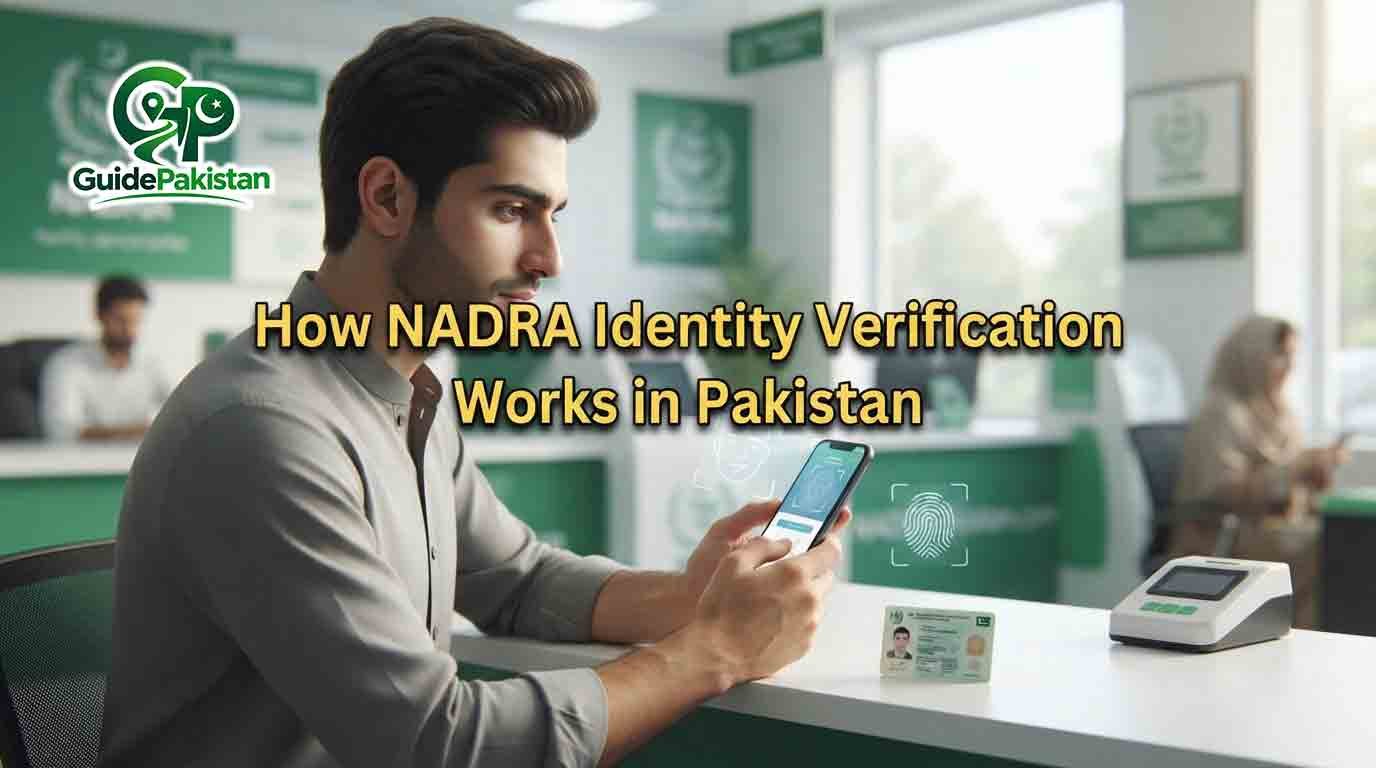
How NADRA Identity Verification Works in Pakistan
NADRA identity verification is the process used to confirm that a person’s identity information matches the records maintained by the National Database and Registration Authority (NADRA). It is an important part of Pakistan’s digital identity system and is used across different government, financial, commercial and online services.
NADRA provides electronic identity verification services to help authorized organizations authenticate Pakistani nationals. Its verification ecosystem includes biometric verification, Verisys, facial recognition, Single Sign-On through PakID, e-Sahulat biometric verification and other digital verification services.
Identity verification can involve different types of information depending on the service. These may include a CNIC, NICOP or POC number, fingerprints, facial information, a photograph, an OTP or other authentication information.
This guide explains how NADRA identity verification works in Pakistan, what biometric verification means, how fingerprint and facial verification are used, how PakID supports digital identity verification, what happens when verification fails and how to use NADRA services safely.
What Is NADRA Identity Verification?
NADRA identity verification is a process through which an identity is checked against information held in NADRA's official identity database.
NADRA describes its verification services as electronic authentication services for Pakistani nationals. Depending on the verification method, the requesting organization may submit an identity number or biometric information and receive a verification response.
The purpose is to help establish whether the person or identity information being presented corresponds to the relevant NADRA record.
Identity verification is different from simply looking at a physical CNIC. A verification system can electronically check information against NADRA's records.
Why Is NADRA Identity Verification Important?
Identity verification helps reduce identity-related errors and impersonation and allows authorized organizations to confirm identity electronically.
It can support services such as:
-
Banking
-
Digital onboarding
-
Government services
-
SIM-related verification
-
Financial services
-
Identity-document applications
-
Digital identity services
-
Authorized KYC processes
-
Online authentication
-
Other services requiring identity confirmation
NADRA's official verification service includes biometric verification and other electronic verification mechanisms.
How Does NADRA Identity Verification Work?
The exact process depends on the service being used.
In a basic verification process, an authorized service may provide NADRA with an identity number such as a CNIC number. NADRA's system then checks the submitted information against its records.
For biometric verification, biometric information such as fingerprints can be captured and matched against the relevant identity record.
NADRA's BIOSYS service is described as an integrated identity-verification service in which fingerprints captured by clients are verified against the corresponding CNIC number, with the verification result returned electronically.
NADRA also supports facial recognition as part of its broader multi-biometric verification ecosystem.
What Is Biometric Verification?
Biometric verification means confirming identity by using a person's physical or biological characteristics.
For NADRA services, biometric verification can involve fingerprints and, in supported systems, facial recognition.
Biometric information is useful because it is linked to the individual rather than simply being a number or password.
NADRA's official verification information states that its biometric verification service matches fingerprints with CNIC information for electronic verification.
How Does NADRA Fingerprint Verification Work?
Fingerprint verification compares fingerprints captured during a verification process with the biometric information associated with the relevant identity record.
A typical process involves:
-
The person's identity number is provided.
-
Fingerprints are captured through an approved verification system.
-
The captured biometric information is sent through the authorized verification process.
-
NADRA's system checks the biometric information against the relevant record.
-
The verification result is returned electronically.
NADRA describes BIOSYS as providing fingerprint verification against the respective CNIC number without human intervention.
The exact fingerprint-capture process can vary depending on whether the verification is taking place at a bank, e-Sahulat outlet, NADRA facility, digital service or another authorized location.
What Is Facial Verification?
Facial verification uses facial recognition technology to help confirm identity.
NADRA officially lists Facial Recognition within its verification ecosystem and states that its Multi Biometric Verification System includes a facial-recognition feature.
For supported digital identity workflows, a user can scan their face using a device camera.
NADRA's Digital ID identity-verification guide specifically describes facial recognition as scanning the user's face with the device camera to confirm identity.
How Does NADRA Facial Verification Work?
A supported digital service may ask the user to perform facial verification.
The user generally:
-
Opens the official service
-
Gives the required camera permission
-
Positions the face in the indicated area
-
Uses suitable lighting
-
Follows the on-screen instructions
-
Allows the system to capture the facial image
-
Completes any required liveness instructions
-
Waits for the verification result
NADRA's terms state that its mobile application may collect facial images, and in supported scenarios fingerprint images, through the device camera for identity verification or authorized record-update purposes.
What Is Liveness Verification?
Liveness verification is designed to help establish that the person interacting with the camera is physically present rather than simply presenting a photograph.
NADRA's terms state that camera access may be required to capture facial images for liveness and identity verification.
If the official application displays a specific instruction during facial verification, the user should follow that instruction exactly.
What Is Verisys?
Verisys is an NADRA online identity-verification service.
According to NADRA, Verisys allows authorized clients to verify CNIC, NICOP and POC numbers through a secure web-based service.
This is different from fingerprint verification because Verisys can be used for identity-number verification without necessarily requiring a fingerprint scan.
The exact information returned through a verification service depends on the authorized service and applicable access rules.
What Is NADRA BIOSYS?
BIOSYS stands for NADRA's Biometric Verification Service.
It is an integrated identity-verification service that checks fingerprints against the relevant CNIC information.
NADRA explains that the verification result can be provided directly to the authorized client electronically without human intervention.
BIOSYS can therefore be used as a technology-based identity-verification mechanism by authorized organizations.
What Is Multi Biometric Verification?
Multi Biometric Verification means that an identity-verification ecosystem can use more than one biometric characteristic.
NADRA's verification page states that its definition of biometrics has been expanded to include facial recognition and iris, and that its Multi Biometric Verification System includes facial recognition.
The availability of a particular biometric method depends on the service and authorized verification process.
NADRA Identity Verification Through PakID
PakID is NADRA's official mobile application for digital identity services.
NADRA describes PakID as an all-in-one platform for applying, verifying and accessing identity services. Its features include applications for identity documents, renewals and reprints, biometric verification, live photo capture, digital signatures, document uploads and application tracking.
PakID therefore provides an important digital channel for identity-related services.
NADRA Identity Verification for Digital ID
NADRA's Digital ID ecosystem provides digital ways to prove identity.
Its identity-verification process can involve facial recognition and fingerprint verification. NADRA's documented SSO guide shows facial recognition followed by fingerprint verification and states that a Digital ID is issued after successful verification in that workflow.
Digital identity services can reduce the need to repeatedly provide physical identity documents for supported online services.
What Is NADRA Single Sign-On?
NADRA Single Sign-On, or SSO, allows verified PakID users to use one secure login to access supported government services.
NADRA states that users with a valid CNIC, NICOP or POC and a verified PakID account can use PakID SSO. It also explains that identity is verified through official government records and that information is shared when the user gives permission.
This creates a digital identity gateway between the user and supported government services.
What Information Can Be Used for Verification?
The information used depends on the service.
It can include:
-
CNIC number
-
NICOP number
-
POC number
-
Fingerprints
-
Facial information
-
Photograph
-
OTP
-
Other information required by the relevant service
NADRA's verification services include both identity-number-based and biometric methods.
Does Every NADRA Service Use Biometrics?
No.
Different NADRA services have different requirements.
Some services may use an identity number or digital authentication, while others may require fingerprints, photographs or another form of verification.
For example, NADRA's CNIC and NICOP application information states that biometric verification and photographs may require a visit to a NADRA Registration Centre in certain cases.
Therefore, users should follow the requirements displayed for their particular service.
Can NADRA Identity Verification Be Completed Online?
Some identity-verification processes can be completed digitally.
PakID supports several online identity services and digital verification functions. NADRA's Single Sign-On system also provides online access to supported government services after identity verification.
However, not every identity service can necessarily be completed entirely online.
A NADRA Registration Centre visit may still be required for certain biometric, photograph or application requirements.
Can Fingerprint Verification Fail?
Yes.
Fingerprint verification can fail for practical or technical reasons.
Possible factors may include:
-
Fingerprint quality
-
Finger placement
-
Sensor condition
-
Dry or damaged skin
-
Technical problems
-
Temporary system problems
-
Difficulty capturing a clear fingerprint
A failed biometric attempt should not automatically be interpreted as proof that the person's CNIC is invalid or blocked.
If verification repeatedly fails, follow the instructions provided by the relevant service or contact the responsible organization or NADRA where appropriate.
Can Facial Verification Fail?
Yes.
Facial verification can fail when the system cannot obtain or process a suitable facial image.
Possible practical factors include:
-
Poor lighting
-
Incorrect face positioning
-
Camera problems
-
Camera permission issues
-
Excessive movement
-
Face obstruction
-
Application problems
-
Connectivity problems
-
Other service-specific verification conditions
The exact reason for a failed attempt should be determined from the message shown by the relevant service rather than assumed.
What Happens After Successful Verification?
The next step depends on the service.
A successful verification may allow a user to:
-
Continue an application
-
Access a digital government service
-
Complete digital onboarding
-
Authenticate an account
-
Continue an identity-document process
-
Access supported Digital ID services
For the documented Digital ID workflow, NADRA states that the Digital ID is issued after successful identity verification.
Can NADRA Verification Be Used by Banks?
NADRA provides biometric verification services to authorized organizations and its services charter describes biometric verification categories including banking and branchless banking applications.
The exact verification procedure used by a bank depends on the bank's authorized NADRA integration and its own account-opening or customer-verification process.
NADRA Verification Through e-Sahulat
NADRA extends biometric verification services through its e-Sahulat franchise network.
This allows citizens to use biometric verification facilities through authorized e-Sahulat locations in Pakistan.
Users should ensure that they are dealing with an authorized service point.
Is NADRA Identity Verification Secure?
NADRA has security measures and information-protection procedures for its identity services.
Its current terms state that biometric information collected for supported verification is used to verify identity against records in NADRA's secure national database. NADRA also states that biometric data is processed within its infrastructure and is not disclosed to third parties for marketing or commercial purposes.
Users should still protect their own accounts, passwords and verification codes.
Does NADRA Keep Facial Data?
NADRA's current terms distinguish between biometric data used for verification and information explicitly submitted for an authorized record update.
The terms state that biometric data used for verification is not retained after the session. If a user explicitly initiates a photograph or fingerprint update, the new information may be securely transmitted and stored in NADRA's official identity database.
Users should therefore understand whether they are completing verification or requesting a record update.
Can Organizations Access NADRA Data?
Authorized organizations can use NADRA's verification services according to the relevant service and authorization arrangements.
NADRA's verification ecosystem includes APIs, biometric verification, Verisys and other services for authorized clients.
Access to identity information is not the same as unrestricted access to NADRA's entire database.
The information available to an authorized client depends on the particular service and applicable permissions.
NADRA Identity Verification and Consent
Consent is an important part of several digital identity services.
NADRA's PakID SSO information states that users can control information sharing and that data is shared when the user allows it.
NADRA's Digital ID information also describes consent management, including notifications when an organization requests information and controls over access.
What Is QR-Based Digital Verification?
NADRA has introduced digital identity capabilities that include QR-based verification.
Its current Digital ID information describes verifiable credentials with unique QR codes that can be used for validation, including offline verification in supported circumstances.
In August 2026, NADRA also announced a new QR-code-based national identity card design that can be read and verified through the PakID mobile application.
This represents another method of digital identity verification alongside biometric methods.
Difference Between Identity Verification and Identity Registration
These two processes are not the same.
Identity registration creates or establishes an identity record with NADRA.
Identity verification checks whether information presented by a person or organization corresponds to an existing identity record.
For example, applying for a first CNIC involves registration requirements, while a bank using an authorized biometric service to confirm a customer's identity is performing verification.
Difference Between Verification and CNIC Renewal
CNIC renewal is an identity-document service.
Verification is an identity-authentication process.
During a renewal application, biometric or facial verification may be part of the process, but the verification step itself is not the same thing as renewing the card.
NADRA provides separate processes for identity-document applications and verification services.
What Should You Do If NADRA Verification Fails?
First, identify which type of verification failed.
If it was fingerprint verification:
-
Check finger placement.
-
Follow the device instructions.
-
Keep the finger clean and properly positioned.
-
Try again if the system allows it.
-
Follow the organization's instructions if repeated attempts fail.
If it was facial verification:
-
Check camera permission.
-
Clean the camera.
-
Improve lighting.
-
Position your face correctly.
-
Keep the device steady.
-
Follow liveness instructions.
-
Retry through the official application.
If the problem continues, use the official support channel for the relevant service.
How to Protect Yourself During NADRA Verification
Never give your NADRA password to another person.
Do not share an OTP or verification code.
Do not send your facial image or fingerprint information to strangers claiming they can “fix” verification.
Do not install unofficial modified versions of PakID.
Check that you are using an official NADRA website or application.
NADRA's official website operates under the nadra.gov.pk domain, and users should verify the website before entering sensitive information.
What Is the Official NADRA Website?
The official NADRA website is:
Users should be careful with websites that use similar names or addresses.
For online identity services, use official NADRA channels and verify the domain before entering personal information.
NADRA Identity Verification for CNIC
A CNIC is NADRA's principal identity document for Pakistani citizens.
For new CNIC applications, NADRA specifies eligibility and supporting requirements, and its current application process allows applications through PakID in supported cases. A Registration Centre visit may still be required for biometric verification and photographs.
Verification requirements depend on whether the applicant is applying for a new card, renewal, modification or reprint.
NADRA Identity Verification for NICOP
NICOP is issued to eligible Pakistani citizens living abroad.
NADRA allows supported NICOP applications through PakID, but its official information states that biometric verification and photographs may require a Registration Centre visit when required by the application.
NADRA Identity Verification for POC
POC stands for Pakistan Origin Card.
NADRA supports POC applications through PakID in supported cases and may require a Registration Centre visit where biometric verification or photography is required.
What Is Digital Identity Verification in Pakistan?
Digital identity verification means confirming identity electronically instead of relying only on physical documents.
NADRA's digital identity ecosystem combines different technologies and services, including:
-
Biometric verification
-
Facial recognition
-
Digital ID
-
Single Sign-On
-
QR-based credentials
-
Verisys
-
Electronic verification
-
Consent management
These services provide different methods for confirming identity depending on the application.
Final Thoughts
NADRA identity verification is a broad system rather than a single verification method.
Depending on the service, identity can be verified through a CNIC, NICOP or POC number, fingerprints, facial recognition, OTP-based authentication, digital identity credentials or other authorized verification methods.
NADRA's official verification ecosystem includes BIOSYS biometric verification, Verisys, e-Sahulat biometric verification, facial recognition and Multi Biometric Verification.
For ordinary users, the most important rule is to use official NADRA channels and follow the exact verification instructions provided by the service. If a fingerprint or facial verification attempt fails, troubleshoot the specific verification method rather than assuming that the identity record itself is invalid.
NADRA continues to expand digital identity services through PakID, Digital ID, Single Sign-On and QR-based verification.
Guide Information
Eligibility
Eligibility depends on the specific NADRA verification service being used. Different services may use CNIC, NICOP or POC information, fingerprints, facial recognition, OTP or other approved verification methods. NADRA provides verification services to authorized public- and private-sector users.
Required Documents
Requirements depend on the service. A CNIC, NICOP or POC number may be required, while some biometric or identity-document processes may require photographs, fingerprints or supporting documents. Certain applications may require a visit to a NADRA Registration Centre.
Fees
There is no single universal fee for NADRA identity verification. Charges depend on the particular NADRA service or authorized organization using the verification service. Always check the applicable official service information for current charges.
Processing Time
Processing time depends on the verification method and service. NADRA describes some electronic verification responses as instantaneous or occurring in milliseconds, while application-related verification can take longer depending on the overall process.WHEN TO APPLY:Use NADRA identity verification whenever an official NADRA service or an authorized organization requires confirmation of identity.
Application Method
Identity verification can be performed through dif
Validity Period
Identity verification is generally an authentication step associated with a particular transaction o
Step-by-Step Process
- Identify which NADRA service requires identity verification.
- Check whether the service requires a CNIC, NICOP or POC number.
- Use the official NADRA website or authorized service.
- If using PakID, install the official application.
- Create or access your PakID account where required.
- Select the relevant identity service.
- Read the verification instructions carefully.
- Check whether the process requires fingerprint verification.
- Check whether the process requires facial verification.
- Check whether an OTP is required.
- Keep your relevant identity number available.
- Enter the requested identity information.
- Provide consent when the official service requires it.
- Allow camera access when facial verification requires the device camera.
- Clean the smartphone camera lens before facial verification.
- Move to a location with suitable lighting.
- Position your face correctly inside the displayed frame.
- Keep the device steady.
- Follow any facial or liveness instructions.
- Wait for the facial verification result.
- If fingerprint verification is required, use the approved fingerprint device.
- Follow the fingerprint-placement instructions.
- Keep your finger properly positioned.
- Wait for the fingerprint result.
- Do not repeatedly move the finger during scanning.
- If verification succeeds, continue with the relevant service.
- If verification fails, read the exact error message.
- Check whether the problem is related to the camera.
- Check whether camera permission is enabled.
- Improve lighting for facial verification.
- Retry facial verification when the official service permits it.
- If fingerprint verification fails, follow the device instructions and retry where permitted.
- Do not assume that a failed verification means the CNIC is blocked.
- Check your internet connection for online verification.
- Restart the official application if a technical problem occurs.
- Check for an available official application update.
- Use only official NADRA applications.
- Do not share your password with another person.
- Do not share OTPs or verification codes.
- Do not give unknown people remote access to your device.
- Contact the relevant service if verification continues to fail.
- Contact NADRA through official channels when appropriate.
- Follow instructions if the service requires a NADRA Registration Centre visit.
- Take the required identity and supporting documents to the centre when instructed.
- Complete the remaining verification steps.
- Keep your application or tracking information available.
- Use official channels to monitor the application.
- Check whether the service has additional verification requirements.
- Review the final verification result.
- Keep your NADRA account information secure after completing verification.
Official Information
Official Website: https://www.nadra.gov.pk/
Frequently Asked Questions
It is the process of confirming a person's identity against information maintained in NADRA's official identity database.
NADRA provides electronic identity verification services to help authorized public- and private-sector organizations authenticate Pakistani nationals.
Biometric verification confirms identity using biometric characteristics such as fingerprints or, in supported systems, facial recognition.
BIOSYS is NADRA's biometric identity-verification service that matches captured fingerprints with the relevant CNIC information.
Verisys is a secure online verification service that allows authorized clients to verify CNIC, NICOP and POC numbers.
Yes. NADRA officially includes facial recognition in its identity-verification ecosystem.
In supported digital workflows, the user scans their face using a device camera and the system verifies the identity.
It is a biometric process in which captured fingerprints are checked against the relevant identity record.
Some verification and identity services can be completed digitally, while other processes may require a Registration Centre visit.
PakID is NADRA's official mobile application for supported identity-document and digital identity services.
Yes. NADRA lists biometric verification among PakID's core features.
NADRA states that supported biometric and facial-verification functions can use the device camera.
Digital ID is part of NADRA's digital identity ecosystem and helps users prove their identity when accessing supported online services.
It allows verified PakID users to access supported government services through one secure login.
Valid CNIC, NICOP or POC holders with a verified PakID account can use supported PakID SSO services.
NADRA's documented SSO workflow states that a Digital ID is issued after successful verification.
Yes. Fingerprint quality, positioning, device conditions or technical problems can affect a verification attempt.
Yes. Lighting, positioning, camera access, movement and other technical or service-specific factors can affect facial verification.
No. A failed verification attempt should not automatically be interpreted as proof that a CNIC is blocked.
No. Certain identity-document applications may still require biometric verification or photography at a NADRA Registration Centre.
NADRA's verification services include biometric verification categories for banking and branchless banking applications.
NADRA extends biometric verification services through its e-Sahulat franchise network.
It is a verification approach involving multiple biometric capabilities. NADRA states that facial recognition has been incorporated into its Multi Biometric Verification System.
NADRA's current verification information states that its definition of biometrics includes facial recognition and iris. Availability depends on the relevant service.
Depending on the service, verification can involve CNIC, NICOP or POC numbers, fingerprints, facial information, photographs or OTP-based authentication.
No. Registration establishes or updates an identity record, while verification confirms identity against an existing record.
No. Renewal is an identity-document service; verification is an authentication step.
No. Facial verification uses facial recognition to help authenticate identity.
It is a process designed to help establish that a real person is present during camera-based verification.
Camera access may be required to capture facial information for liveness and identity verification.
Check lighting, camera permission, face positioning, camera condition and internet connectivity, then follow the official service instructions.
Follow the fingerprint device instructions, retry when permitted and contact the relevant service if the problem continues.
NADRA's current terms state that biometric data used for verification is not retained after the verification session, while new biometric information explicitly submitted for an authorized record update may be stored.
NADRA states that biometric data is processed within its infrastructure and is not disclosed to third parties for marketing or commercial purposes.
NADRA maintains security procedures for its identity and biometric services, while users should also protect passwords, OTPs and other account credentials.
It allows users to control and monitor access to their information in supported digital identity services.
Authorized organizations can use NADRA's approved verification services according to the applicable service and authorization arrangements.
NADRA provides verification services that support identity authentication and KYC-related processes for authorized users.
It allows supported digital identity documents or credentials to be validated through QR codes.
NADRA announced a QR-code-based national identity card design in August 2026, with verification through the PakID mobile application.
NADRA's verifiable-credentials information states that supported documents can be verified offline by scanning their QR code.
The official NADRA website is nadra.gov.pk.
NADRA currently lists 1777 as its helpline.
NADRA currently lists +92 51 111 786 100.
Do not share your OTP or verification code with an unknown person.
No. Keep your account password private.
No. Use official NADRA support channels instead.
You should not give unknown people remote access to your phone or computer.
No. PakID supports many services, but some processes may still require a Registration Centre visit.
Yes. NADRA supports several NICOP services through PakID, subject to the requirements of the application.
Yes. NADRA supports several POC services through PakID, subject to applicable requirements.
NADRA's current CNIC information states that supported new CNIC applications can be initiated through PakID, with a Registration Centre visit required where applicable.
Identify the specific verification method, troubleshoot the relevant problem and contact the official NADRA support channel if the issue continues.
No. Identity verification confirms identity for the relevant authorized process; other account information is governed by the organization providing the service.
No. Verification is one part of a larger application or service process.
No. Each service has its own eligibility and processing requirements.
Yes. Technical or capture-related problems can affect biometric verification.
Use suitable lighting, clean the camera lens, ensure camera permission is available and follow the on-screen instructions.
Follow the instructions for the approved fingerprint device and ensure your finger is positioned correctly.
It enables authorized organizations and digital services to electronically confirm identity using approved verification methods.
No. NADRA provides verification services to both public- and private-sector users.
Verisys can verify identity numbers such as CNIC, NICOP and POC numbers, while biometric verification checks biometric information such as fingerprints against identity records.
Facial verification uses facial characteristics, while fingerprint verification uses fingerprint characteristics.
Yes. NADRA's documented Digital ID workflow includes both facial recognition and fingerprint verification.
Some NADRA verification services provide electronic results very quickly. NADRA's services charter describes BIOSYS single-verification responses as occurring in milliseconds.
Yes. NADRA states that biometric verification services are extended through its e-Sahulat franchise network.
Use official NADRA websites and applications, protect your credentials and never share OTPs or biometric information with unknown people.