NADRA Pak Identity App – Features and Complete Guide
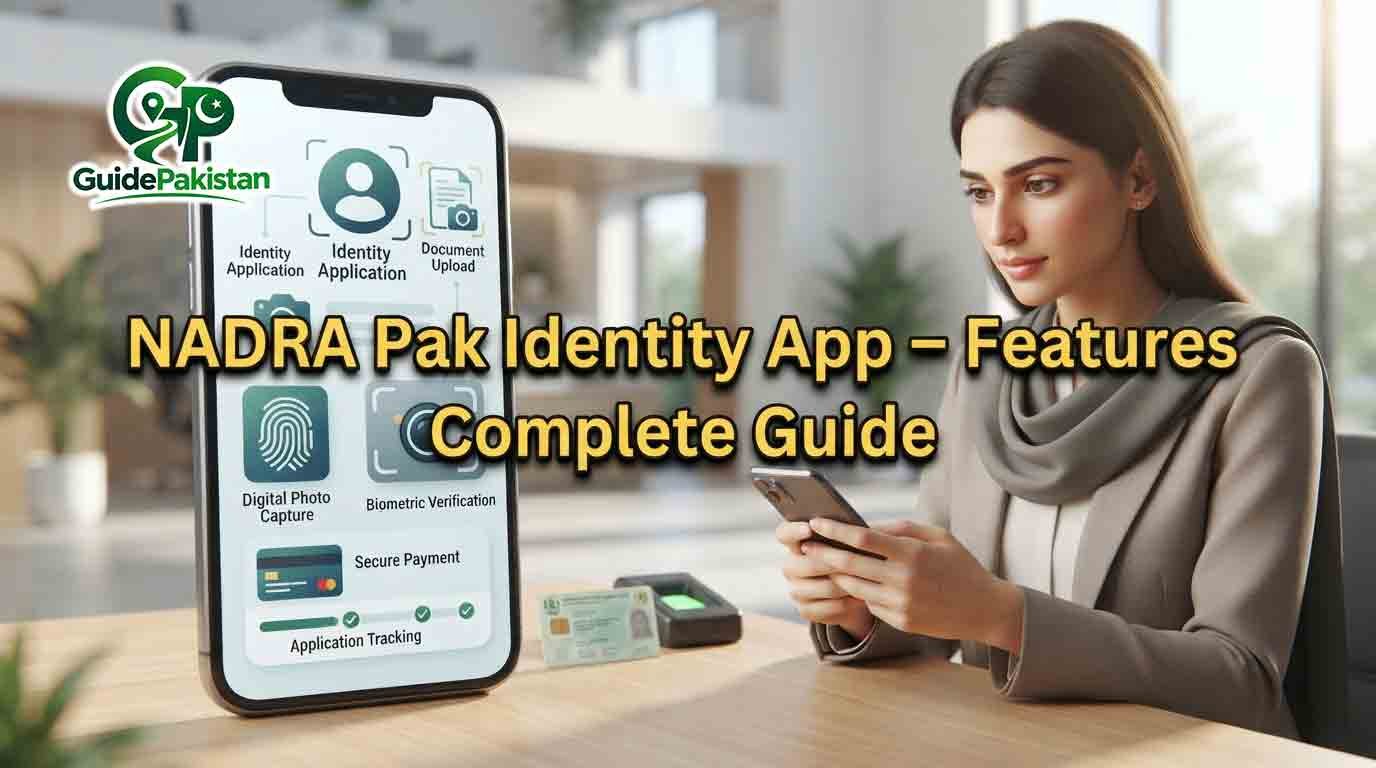
NADRA Pak Identity App – Features and Complete Guide
The NADRA Pak Identity App, commonly known as PakID, is the official mobile application of Pakistan's National Database and Registration Authority (NADRA). It allows eligible users to access a range of identity-related services through a smartphone instead of completing every step at a NADRA Registration Centre.
NADRA currently describes PakID as an all-in-one mobile platform for applying, verifying and accessing identity services. The app supports services such as CNIC, NICOP, POC, CRC, FRC and certain cancellation-related applications, with availability depending on the service and applicant's circumstances.
The app has also expanded beyond basic online applications. Current features include document uploading, biometric verification, live photo capture, digital signature capture, application tracking and online payments. NADRA also describes broader digital identity features including PakID Vault and Single Sign-On.
This complete guide explains the main features of the NADRA Pak Identity App, who can use it, what services are available, how the application process works and what users should know before submitting an online application.
What Is the NADRA Pak Identity App?
PakID is NADRA's official mobile application for identity registration, updates and application tracking.
Instead of visiting a NADRA centre for every part of an eligible application, users can complete many steps through the app. Depending on the service, the application can involve entering personal information, uploading supporting documents, providing a photograph, completing biometric verification, signing digitally, paying the applicable fee and tracking the application.
The exact process is not identical for every service. NADRA's official service pages provide service-specific requirements and explain when a visit to a NADRA Registration Centre may still be necessary.
Main Features of PakID
The current PakID application provides several important features.
1. Online Identity Applications
Eligible users can apply for various identity-related services through the app.
NADRA's current PakID information includes services for:
-
CNIC
-
NICOP
-
POC
-
CRC
-
FRC
-
Certain cancellation certificates
-
Other services made available through the platform
The exact service categories and application types depend on NADRA's current online-service availability.
2. CNIC Services
PakID supports several CNIC-related online services.
According to NADRA's current FAQ, online CNIC services include renewal, modification, reprint/lost and updates to certain non-printable fields.
A first-time CNIC application has additional requirements. NADRA states that the first-time CNIC can be initiated through a blood relative's account, and the applicant and blood relative may need to visit a NADRA centre to complete the remaining steps.
Therefore, users should not assume that every CNIC application can be completed entirely from home.
3. NICOP Applications
NICOP is another major service available through PakID.
Eligible applicants can use the app for fresh NICOP applications, renewal, modification, reprint/lost and other available NICOP services. NADRA's NICOP page describes the process as downloading the PakID app, creating or signing into an account, selecting the required service, entering personal information, uploading documents and tracking the application.
Depending on the application, biometric verification or a photograph may require a visit to a NADRA Registration Centre.
4. Pakistan Origin Card Services
PakID also supports eligible Pakistan Origin Card applications.
NADRA's current POC service page provides a PakID application process that includes creating or signing into an account, selecting New POC, entering personal information, uploading required documents and tracking the application.
Additional verification requirements may apply depending on the applicant's circumstances.
5. Child Registration Certificate
PakID can also be used for eligible Child Registration Certificate services.
NADRA lists CRC services among the categories available through PakID.
The requirements can vary depending on the child's age, birth registration and other circumstances. NADRA's current Juvenile Card and CRC information also explains that the child's presence can be mandatory for certain applications.
6. Family Registration Certificate
FRC services are also available through the PakID ecosystem.
The Family Registration Certificate provides family-related registration information from NADRA records. Users should follow the current instructions inside the application for the particular FRC service they want to obtain.
7. Document Upload
Document upload is one of the core features of the current PakID application.
Users can provide necessary supporting documents by capturing photographs with their phone or selecting files from the device.
The required documents depend on the selected service.
For example, a new CNIC application may require evidence relating to birth, parents or blood relatives, while NICOP applications can require passports, residence documents or other supporting evidence depending on the applicant.
Users should therefore check the requirements for their specific application instead of uploading unrelated documents.
8. Biometric Verification
PakID includes biometric verification capabilities.
NADRA currently describes fingerprint-based biometric verification as one of the app's core features.
However, the availability of biometric processing from a mobile device does not mean that every application can be completed without physical verification. NADRA's service pages continue to identify cases where biometric verification or other requirements may require a visit to a Registration Centre.
Users should follow the instructions displayed for their particular application.
9. Live Photo Capture
The PakID app provides live photo capture for applicable identity applications.
NADRA describes this feature as capturing a real-time photograph that meets applicable ICAO standards for official identification purposes.
This means users should follow the app's on-screen instructions carefully when taking their photograph.
10. Digital Signature
PakID also supports digital signature capture.
NADRA states that users can sign documents electronically using their device's touchscreen for secure submissions.
The digital signature requirement depends on the particular service and application stage.
11. Application Tracking
Application tracking is another important PakID feature.
Users can monitor application status through the app's dashboard.
NADRA's individual service pages also describe tracking as part of the PakID application process.
This reduces the need to repeatedly visit a NADRA office simply to ask about an application.
12. Online Fee Payment
PakID supports online payment for eligible services.
NADRA currently lists multiple authorised payment methods, including cards and mobile wallets, with availability depending on the service. Its overseas-services information also lists options including JazzCash, Easypaisa, e-Sahulat, credit/debit cards and Raast.
Payment options can change or vary by service, so users should rely on the payment choices displayed inside the official application.
13. Appointment Booking
NADRA's online-services information also lists appointment booking through PakID for processing through NADRA Registration Centres in applicable cases.
This can be useful when an online application requires a physical visit for a particular step.
14. Application Priority
NADRA's current overseas-services information lists an application-priority facility through which applicants can expedite or update the priority of an application where the service permits it.
Availability and charges, where applicable, depend on the relevant service and current NADRA rules.
15. Digital Cards
NADRA's current PakID information also lists digital-card services, including Digital ID and other digital cards made available through the platform.
The exact cards available to an individual depend on eligibility and the services currently supported.
16. PakID Vault
PakID is also connected with NADRA's broader Digital ID ecosystem.
NADRA describes PakID Vault as a secure digital space where citizens can store and view important documents such as CNICs, degrees, licences and certificates.
The Vault also includes QR-code-based verification for verifiable documents and supports consent-based information sharing.
This is different from simply uploading a document as supporting evidence for an application.
17. QR Code Verification
NADRA's Digital ID information states that verifiable documents in PakID Vault can have unique QR codes that make sharing and validation easier.
This is part of NADRA's wider move toward digital identity and document verification.
In August 2026, NADRA also announced a new chipless national identity card using a secure QR code that can be read and verified through a smartphone using the Pak Identity mobile application.
18. Consent-Based Data Sharing
The Digital ID ecosystem includes consent management.
NADRA states that users can control who accesses their information and can receive notifications when someone requests their information.
This means digital identity is not limited to submitting applications; it is also being developed as a way to manage identity information across connected services.
19. PakID Single Sign-On
NADRA also provides PakID Single Sign-On, or SSO.
According to NADRA, a verified PakID account can be used to securely access multiple connected government services without creating separate accounts for every service.
NADRA describes this as a one-login approach in which users can access connected services while maintaining control over consent and information sharing.
Who Can Use PakID?
PakID is designed for Pakistani citizens and overseas Pakistanis who meet the requirements for the services available through the platform.
However, eligibility is not identical for every service.
For example:
-
CNIC services have specific citizenship and age requirements.
-
NICOP is intended for eligible overseas Pakistanis.
-
POC has specific eligibility categories for people of Pakistani origin.
-
CRC and Juvenile Card services have requirements relating to children.
-
Some applications require a blood relative or other verification.
-
Some cases require a visit to a NADRA Registration Centre.
Always check the official NADRA requirements for the particular service before starting an application.
How to Download the PakID App
The official NADRA website provides links for downloading the PakID mobile application through supported app stores.
NADRA's current website identifies PakID as its official mobile application and currently displays links for both Apple App Store and Google Play Store.
Users should avoid downloading identity-service applications from unknown websites or unofficial APK sources.
How to Create a PakID Account
The general account process starts by opening the official PakID application and selecting the registration option.
NADRA's Digital ID information states that users can register on the PakID platform using their CNIC details, valid email address and mobile number.
The application then guides the user through verification and account setup.
A verified account may be required before accessing certain services.
How to Apply Through PakID
The general application process is:
-
Download the official PakID app.
-
Create an account or sign in.
-
Select the required NADRA service.
-
Enter the requested personal information.
-
Upload the required supporting documents.
-
Complete photograph and biometric requirements where applicable.
-
Provide a digital signature if requested.
-
Review the application.
-
Pay the applicable fee if required.
-
Submit the application.
-
Track its progress through the app.
This general process is reflected in NADRA's current service pages for CNIC, NICOP and POC applications.
Documents Needed for PakID
There is no universal document list for every PakID service.
The required documents depend on the selected service.
Possible documents can include:
-
Existing CNIC
-
NICOP
-
Passport
-
Residence permit
-
Birth certificate
-
Parent's identity document
-
Blood relative's identity document
-
Marriage-related documents
-
Other service-specific supporting documents
For example, NADRA's current CNIC requirements include identity information relating to parents or blood relatives and, for certain new applications, a verified computerized birth certificate or relevant citizenship/naturalization documentation.
NICOP requirements can include a Pakistani or foreign passport, residence permit, travel document or other applicable evidence.
Is PakID Completely Online?
Not necessarily.
PakID is designed to reduce the need for physical visits, but some applications or stages can still require a visit to a NADRA Registration Centre.
NADRA explicitly notes on multiple service pages that biometric verification and photographs may require a visit to a Registration Centre.
Therefore, applicants should follow the instructions shown for their individual case.
Common PakID Problems
Users may experience different problems while using the application.
Common issues can include:
-
Account registration problems
-
Login problems
-
Verification problems
-
Poor internet connection
-
Camera or biometric issues
-
Blurry document photographs
-
Incorrect document uploads
-
Payment problems
-
Application errors
-
Missing service options
-
Problems completing a required verification step
The correct solution depends on the exact problem and application stage.
NADRA maintains an official PakID FAQ covering registration and login, problem resolution, supporting documents, payment, tracking and application completion.
Tips for Using PakID Successfully
Before starting an application, make sure:
-
Your phone has a stable internet connection.
-
You are using the official PakID application.
-
Your camera works properly.
-
Your documents are available.
-
Document photographs are clear.
-
Your personal information is entered accurately.
-
Your email and mobile number are accessible.
-
You have a supported payment method if payment is required.
-
You read the instructions for your selected service.
-
You keep your application tracking information.
Do not share your password, verification codes or sensitive identity information with unknown individuals.
Is PakID Secure?
NADRA presents PakID as its official identity platform and describes security, identity verification and consent-based data access as important parts of its digital identity ecosystem.
Users should still follow basic digital-security practices.
Download the application from official app-store links, keep account credentials private and avoid entering identity information into unofficial websites.
PakID App and Digital Transformation
NADRA has increasingly expanded its digital identity services.
The current PakID app combines identity applications, verification, document uploading, payments and application tracking. NADRA has also developed Digital ID features such as PakID Vault and Single Sign-On.
In July 2026, NADRA announced that its PakID mobile application received the Citizen Experience of the Year Award at the Public Sector Digital Transformation Awards 2026.
This is a reported recognition of the app; it does not change the eligibility or procedural requirements of individual NADRA services.
Final Thoughts
The NADRA Pak Identity App has developed into a broad digital platform for identity-related services in Pakistan.
Its current features include online identity applications, document uploading, biometric verification, live photo capture, digital signatures, application tracking, online payments and access to additional digital identity services.
The app can make many NADRA processes more convenient, but not every application is identical and some cases can still require physical verification at a NADRA Registration Centre.
For the most accurate information, users should always check the official NADRA requirements for their selected service before submitting an application. NADRA's official PakID FAQ and individual service pages provide the current service-specific requirements.
Guide Information
Eligibility
Eligibility depends on the specific NADRA service. PakID is available for eligible Pakistani citizens and overseas Pakistanis, but CNIC, NICOP, POC, CRC, FRC and other services have their own requirements.
Required Documents
Documents depend on the selected service. Depending on the application, users may need CNIC/NICOP details, passport, residence permit, birth certificate, parent or blood-relative identity documents, marriage-related documents or other supporting evidence requested by NADRA.
Fees
Fees depend on the selected NADRA service and processing category. Users should check the current official fee information displayed for their specific service before payment.
Processing Time
Processing time varies according to the selected NADRA service and processing category. Application tracking is available through PakID for applicable services.WHEN TO APPLY:Users can apply through PakID whenever the required identity service is available online and they meet the eligibility requirements.
Application Method
Download the official PakID mobile application, cr
Validity Period
PakID account validity and identity-document validity are separate matters. The validity of the resu
Step-by-Step Process
- Open the official NADRA website.
- Locate the official PakID mobile application.
- Download PakID from the official app-store link.
- Install the application on your smartphone.
- Open the PakID application.
- Select the account registration option if you are a new user.
- Enter your required identity information.
- Provide a valid email address.
- Provide your mobile number.
- Follow the account-verification instructions.
- Complete the PakID account setup.
- Sign in to your verified account.
- Review the available identity services.
- Select the NADRA service you require.
- Read the service-specific eligibility information.
- Check the required supporting documents.
- Keep the required original documents available.
- Start the selected online application.
- Enter your personal information carefully.
- Review the information before continuing.
- Upload the documents requested by the application.
- Make sure document photographs are clear and complete.
- Complete live photo capture if requested.
- Complete biometric verification if requested.
- Complete digital signature capture if requested.
- Review all information entered in the application.
- Review all uploaded documents.
- Correct any information that is inaccurate before submission where the application permits.
- Check the applicable service fee.
- Select an available official payment method.
- Complete the payment if required.
- Confirm that the payment has been processed.
- Submit the completed application.
- Save the application or tracking information.
- Open the tracking section in PakID when you want to check progress.
- Monitor application status through the official app.
- Respond to any official request for additional information or documents.
- Attend a NADRA Registration Centre if your application requires physical verification.
- Complete any remaining biometric or photograph requirement at the centre if instructed.
- Continue monitoring the application after completing additional requirements.
- Keep your account credentials secure.
- Never share your PakID password with an unknown person.
- Never share verification codes with another person.
- Use only official NADRA channels for application assistance.
- Keep your original documents safely after uploading copies.
- Check the official NADRA website when service requirements change.
- Use PakID Vault only for the digital-storage features provided through the official Digital ID ecosystem.
- Review consent requests before allowing information to be shared.
- Use PakID Single Sign-On only with services connected to the official platform.
- Keep the PakID application updated through the official app store.
Official Information
Official Website: https://id.nadra.gov.pk/
Contact: Official NADRA Website: https://www.nadra.gov.pk/Official PakID Platform: https://id.nadra.gov.pk/NADRA Helpline: 1777NADRA Phone: +92 51 111 786 100NADRA Email: [csd@nadra.gov.pk](mailto:csd@nadra.gov.pk)
Frequently Asked Questions
PakID is NADRA's official mobile application for accessing eligible identity-related services.
Yes. NADRA identifies PakID as its official mobile application.
Depending on eligibility and service availability, users can apply for identity documents, upload documents, complete verification, make payments and track applications.
Eligible CNIC services can be processed through PakID, including renewal, modification and reprint/lost services.
Yes. Eligible NICOP applications can be submitted through PakID.
Yes. Eligible POC services are available through PakID.
PakID supports eligible CRC services.
FRC is included among the services supported by the PakID platform.
Yes. Document upload is one of the app's core features.
Yes. NADRA states that documents can be uploaded by capturing photos through the device.
Where the application provides the relevant option, you can select a suitable file stored on your device.
Yes. Biometric verification is one of the current PakID features.
Yes. The app supports live photo capture for applicable identity processes.
Yes. NADRA lists digital signature capture as a PakID feature.
Yes. Application tracking is available through the app for applicable services.
Yes. PakID supports online payments for eligible services.
Available options can include cards and mobile wallets, with the exact methods depending on the service.
NADRA lists appointment booking through PakID for applicable Registration Centre processing.
Not necessarily. NADRA states that a first-time CNIC application can involve a blood relative's account and a visit to a NADRA centre to complete remaining steps.
No. It depends on the service and individual application requirements.
Some applications can require biometric verification, photographs or other physical verification.
Yes. PakID supports eligible services for overseas Pakistanis, including NICOP-related services.
Eligible overseas applicants can apply for NICOP through the app.
Requirements vary according to the selected service and application type.
No. Document requirements vary by service and applicant.
No. It is required only where the selected service's requirements call for it.
You can upload supporting identity documents when the selected application requires them.
Retake the photograph with better lighting, focus and camera stability.
Check the document type, image quality and specific instructions shown by the application.
Restore a stable connection and follow the application's instructions for continuing the process.
PakID Vault is a digital space described by NADRA for storing and viewing important documents such as CNICs, degrees, licences and certificates.
No. Supporting-document upload is part of an application, while PakID Vault is a digital document-storage feature.
NADRA states that verifiable documents in the Vault can have unique QR codes for sharing and validation.
It is a feature that allows a verified PakID identity to provide access to connected services through one login.
NADRA's Single Sign-On information describes access to multiple connected government services.
NADRA describes consent management as a core Digital ID feature, allowing users to control information sharing.
NADRA states that users can manage consent and receive notifications when information is requested.
NADRA presents PakID as its official identity platform with identity verification and security features. Users should also follow normal account-security practices.
No. Use official NADRA links and official app stores.
No. Keep your password private.
No. Verification codes should remain private.
Use the official account-recovery process provided by PakID rather than giving your credentials to another person.
Eligible modification and update services are available for certain identity documents.
Eligible CNIC renewal services are available through PakID.
Yes, eligible NICOP renewal is available through the app.
Eligible reprint/lost services are available for certain identity documents.
NADRA's FAQ lists certain cancellation certificates among the services available through PakID.
Yes. NADRA identifies the PakID mobile app as available for Android and iOS.
Yes. NADRA's FAQ identifies PakID as available on iOS as well as Android.
The official NADRA website is https://www.nadra.gov.pk/.
The official PakID platform is available at https://id.nadra.gov.pk/.
NADRA currently lists 1777 as its helpline.
NADRA currently lists +92 51 111 786 100 as an official contact number.
NADRA lists [csd@nadra.gov.pk](mailto:csd@nadra.gov.pk) for complaints.
Not in every case. Some services and applications can still require physical verification.
No. Depending on the service, additional verification, payment, biometric or other steps may remain.
Use the application-tracking facility inside PakID.
Check its current status in PakID and use official NADRA support channels if further assistance is required.
Yes. NADRA's Digital ID ecosystem includes Digital ID, PakID Vault and consent-based services.
NADRA has introduced QR-code-based digital verification features within its Digital ID ecosystem.
NADRA announced a new chipless national identity card using a secure QR code that can be read and verified through a smartphone using PakID.
No. Availability depends on the user's eligibility, selected service and current NADRA service configuration.