What is eSIM? Complete Guide 2026 | How It Works, Benefits & Compatible Devices
What is an eSIM?
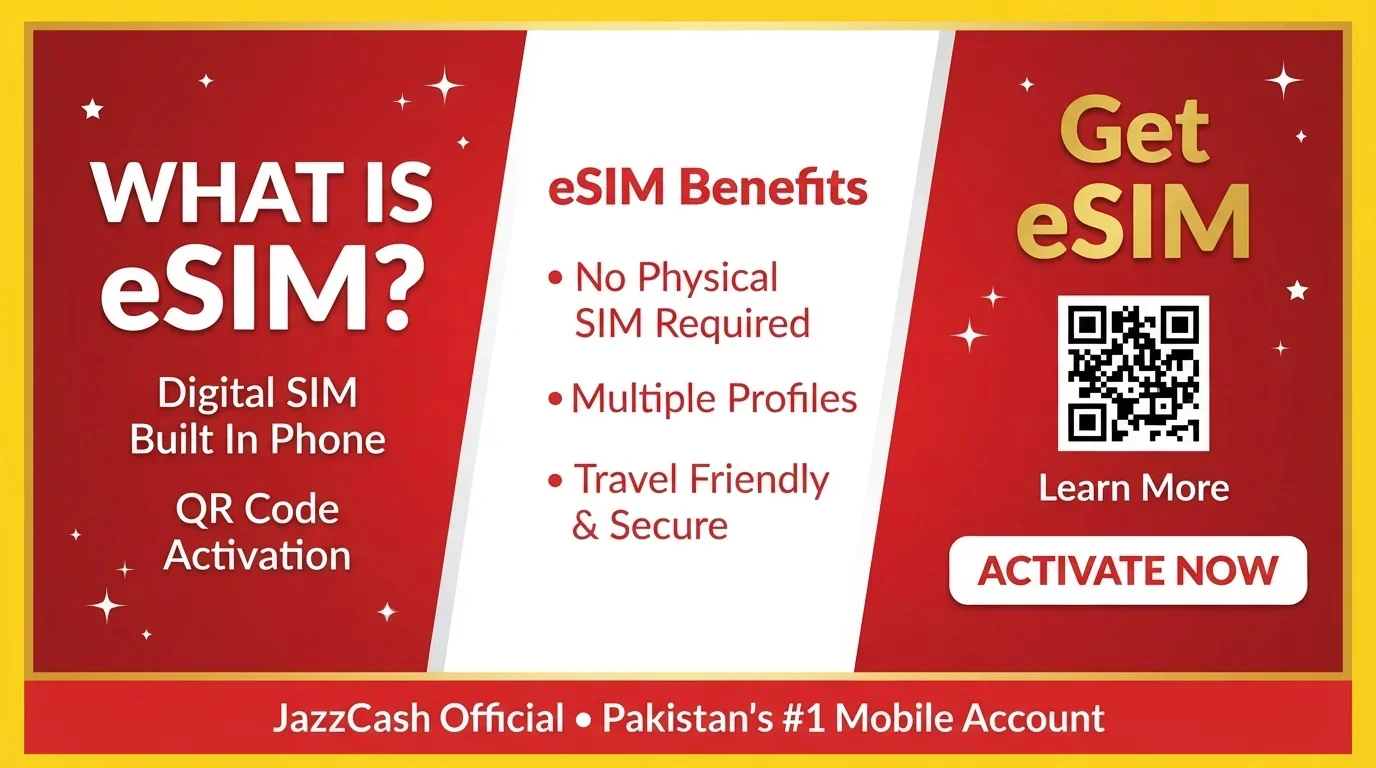
An eSIM (embedded SIM) is a digital version of a traditional SIM card that is built directly into your device's hardware. Instead of inserting a physical plastic card, your mobile number is activated digitally. Think of a physical SIM as a "removable USB drive" while an eSIM is like a "solid-state drive soldered onto the motherboard" — permanently embedded in the phone's hardware.
The "e" stands for embedded, and it is also known as a virtual SIM card or digital SIM card. More than 80% of smartphones are expected to be eSIM capable by 2030.
How Does an eSIM Work?
An eSIM works like a traditional physical SIM card except that it is built directly into a device and can be programmed remotely. Your identity credentials, such as phone numbers and account encryption keys, are stored directly within the device.
To activate an eSIM, you typically:
-
Go to Settings → Mobile Network
-
Select "Add Cellular Plan"
-
Download the carrier's profile digitally or scan a QR code provided by your network operator
The activation process takes just a few minutes and requires no physical SIM card or trip to a store.
Key Benefits of eSIM
-
Convenience: Activate a new mobile plan in minutes without visiting a store or waiting for a physical SIM card to arrive.
-
Multiple Profiles: Store several eSIM profiles on the same device and switch between them instantly — perfect for personal and work lines, or when traveling.
-
Travel-Friendly: Purchase an international eSIM plan before your trip and activate it on arrival, avoiding expensive roaming fees and hunting for local SIM shops.
-
Security: Your eSIM cannot be removed from your phone, reducing the risk of theft or tampering. It is also extremely difficult to clone.
-
Dual SIM Capability: Many devices allow you to use multiple active numbers simultaneously, combining a physical SIM with an eSIM or using two eSIMs.
-
Eco-Friendly: eSIMs eliminate plastic waste, packaging, and shipping emissions. Studies show eSIM reduces CO2 emissions by 46% compared to traditional SIM cards.
-
Device Design: Without a SIM card slot, devices can have better water and dust resistance, larger batteries, and improved durability.
Potential Limitations
-
Carrier Support: Not all network operators support eSIM activation yet.
-
Device Compatibility: Only newer devices support eSIM technology; budget and entry-level phones often lack eSIM hardware.
-
Device Transfer: While switching between compatible devices is easier, it requires a digital process rather than simply moving a physical card.
eSIM-Compatible Devices
Most major smartphone brands now offer eSIM support in their newer models:
Apple iPhone
-
iPhone XS, XS Max, XR and newer models
-
iPhone 11 series and newer
-
iPhone SE (2nd and 3rd generation)
-
eSIM-only: iPhone 17 series, iPhone Air
Samsung Galaxy
-
S21 series and newer
-
Note 20
-
Z Flip3 and newer, Z Fold3 and newer
-
A16, A17, A35, A37, A54, A56, A57
-
S23 FE and newer
Google Pixel
-
Pixel 4, 4a, 5, 5a, 6 series, 7 series, 8 series and newer
Motorola
-
razr (2025), razr+ (2024)
-
Moto Edge (2023 and newer)
-
Moto G 5G (2024 and newer)
Other Brands
-
OnePlus 11, 12, 13 series
-
Oppo Find X series
-
Honor Magic series, Honor 90, 200 series
-
Huawei P40, P40 Pro, Mate 40 Pro
-
Nokia G60, X30, XR21
Note: In Pakistan, only 8 to 12 percent of smartphones currently in use support eSIM technology, as eSIM chips are mainly built into flagship and mid-range devices.
eSIM in Pakistan — New PTA Policy 2026
The Pakistan Telecommunication Authority (PTA) introduced a revised eSIM policy effective August 17, 2026, making eSIM more affordable and accessible:
-
Maximum Initial Issuance Fee: Capped at Rs1,500
-
Free Device Transfers: Subscribers can transfer their eSIM between compatible devices up to 10 times free of charge
-
Stronger Security Measures: PTA is collaborating with NADRA to develop a multi-factor subscriber verification system, potentially including facial recognition technology
-
Digital Transfer System: A secure digital mechanism is being developed to allow users to migrate eSIMs between devices without visiting customer service centers
The policy follows recommendations from a parliamentary committee to simplify eSIM services and make them more consumer-friendly.
International Travel eSIMs
For travelers visiting Pakistan, international travel eSIMs offer a convenient connectivity solution:
-
Data-only plans that activate instantly through a QR code
-
No biometric verification required for travel eSIMs
-
Work on local partner networks including Jazz, Zong, Telenor, and Ufone
-
Plans start at less than $1 for small daily data packages; entry-level plans around $2
-
Most providers support hotspot sharing for laptops and multiple devices
Security Considerations
While eSIMs are generally more secure than physical SIM cards, users should remain vigilant:
-
Use strong passwords and biometric authentication.
-
Enable two-factor authentication.
-
Regularly update device software and carrier settings.
-
Be cautious of scam emails, messages, and apps that could interfere with eSIM programming.
Guide Information
Eligibility
- A device that supports eSIM technology
- Mobile network operator that offers eSIM services
- Valid identification for verification (varies by country and operator)
Required Documents
Requirements vary by operator and country. Typically:
- Valid CNIC or passport (for identity verification)
- Device IMEI number (may be required)
- QR code or activation code from your network operator
Fees
- Pakistan (PTA policy 2026): Maximum Rs1,500 for initial issuance- First 10 device transfers: Free- Fees vary by country and operator- International travel eSIMs: Starting from less than $1
Processing Time
- eSIM activation: 2-10 minutes (digital process)- Device transfer: Instant (through QR code or operator app)
Application Method
1. Contact your network operator to check eSIM ava
Validity Period
- eSIM profile remains valid until deactivated or transferred- Travel eSIMs: Valid for specific dura
Step-by-Step Process
- Step-by-Step Process for Method 1: Activate eSIM via QR Code (Most Common)
- Check if your device supports eSIM (Settings > About Phone > eSIM status)
- Contact your mobile network operator and request an eSIM
- Receive an eSIM activation QR code via email or at the store
- Go to your device Settings > Mobile Network/Cellular
- Select "Add Cellular Plan" or "Add eSIM"
- Scan the QR code provided by your operator
- Follow the on-screen instructions
- Enter any confirmation code if prompted
- Label your eSIM plan (e.g., Personal, Work, Travel)
- Set your default line preferences
- Your eSIM is now activated and ready to use
- Test by making a call or using mobile data
- Step-by-Step Process for Method 2: Activate eSIM via Operator App
- Download your network operator's official app
- Log in to your account
- Navigate to eSIM activation section
- Select "Activate eSIM" or "Get eSIM"
- Confirm your identity using your account credentials
- The app will trigger the eSIM download
- Follow the on-screen prompts to install the eSIM profile
- Complete the setup process
- Your eSIM is now active
- Step-by-Step Process for Method 3: Transfer eSIM to a New Device
- On your new device, go to Settings > Mobile Network
- Select "Add Cellular Plan" or "Add eSIM"
- Choose "Transfer eSIM from another device"
- On your old device, confirm the transfer request
- Follow the instructions on both devices
- Wait for the transfer to complete
- Restart your new device
- Your eSIM is now active on your new phone
- Step-by-Step Process for Method 4: Activate International Travel eSIM
- Download the travel eSIM provider's app (like Airalo, Holafly, etc.)
- Browse available plans for Pakistan or your destination
- Select a data plan that suits your needs
- Complete the purchase (payment via credit/debit card)
- Receive your eSIM QR code or activation link
- Go to Settings > Mobile Network > Add eSIM
- Scan the QR code or enter the activation details
- Install the eSIM profile
- Turn on data roaming for that line
- Select the network (Jazz, Zong, etc.) if required
- Your travel eSIM is now active
- Turn off your primary SIM data to avoid charges
- Step-by-Step Process for Method 5: Disable or Delete eSIM
- Go to Settings > Mobile Network
- Select the eSIM profile you want to remove
- Tap "Remove Cellular Plan" or "Delete eSIM"
- Confirm the deletion
- Your eSIM profile is removed from the device
- The number is deactivated
- Contact your operator to reactivate if needed
- Step-by-Step Process for Method 6: Switch Between eSIM Profiles
- Go to Settings > Mobile Network
- View all available eSIM profiles
- Select the profile you want to use as primary
- Choose "Set as Default" for calls, messages, or data
- The selected profile becomes active
- Your other profile remains stored but inactive
- Switch back anytime using the same process
Official Information
Official Website: https://www.jazzcash.com.pk/PTA Official Website: https://www.pta.gov.pk/
Contact: JazzCash Helpline:- From Jazz Number: 4444- UAN (All Networks): 111-124-444PTA Helpline: 0800-55055
Frequently Asked Questions
An eSIM (embedded SIM) is a digital SIM card built directly into your device, eliminating the need for a physical plastic SIM card.
It stores your mobile number and carrier information digitally on your device. You activate it by downloading a carrier profile or scanning a QR code.
Most newer flagship and mid-range smartphones support eSIM, including iPhone XS and later, Samsung Galaxy S21 and later, Google Pixel 4 and later, and select Motorola and OnePlus models.
Yes, eSIMs are generally more secure. They cannot be removed from your phone, are extremely difficult to clone, and reduce the risk of physical tampering.
Yes, many devices support dual SIM functionality with eSIM, allowing you to have multiple active profiles for personal and work use or travel.
Under PTA's 2026 policy, the maximum initial issuance fee is Rs1,500, and the first 10 device transfers are free.
Yes, you can transfer your eSIM to another compatible device. In Pakistan, you get up to 10 free transfers under the new PTA policy.
Yes, many providers offer travel eSIMs for Pakistan that work on local networks like Jazz, Zong, Telenor, and Ufone.
Yes, eSIMs are excellent for travel. You can purchase a local data plan before you arrive, avoiding roaming fees and the need to find a physical SIM store.
Yes, you typically need a Wi-Fi connection to download and activate an eSIM profile.